Polystyren na míru / Blog

Logo in outlines: how to prepare it for production

When we say "send the logo in outlines", we mean a vector file in which all text has been converted to shapes. Only then can we be sure the shape will be exactly as it is in your brand manual.

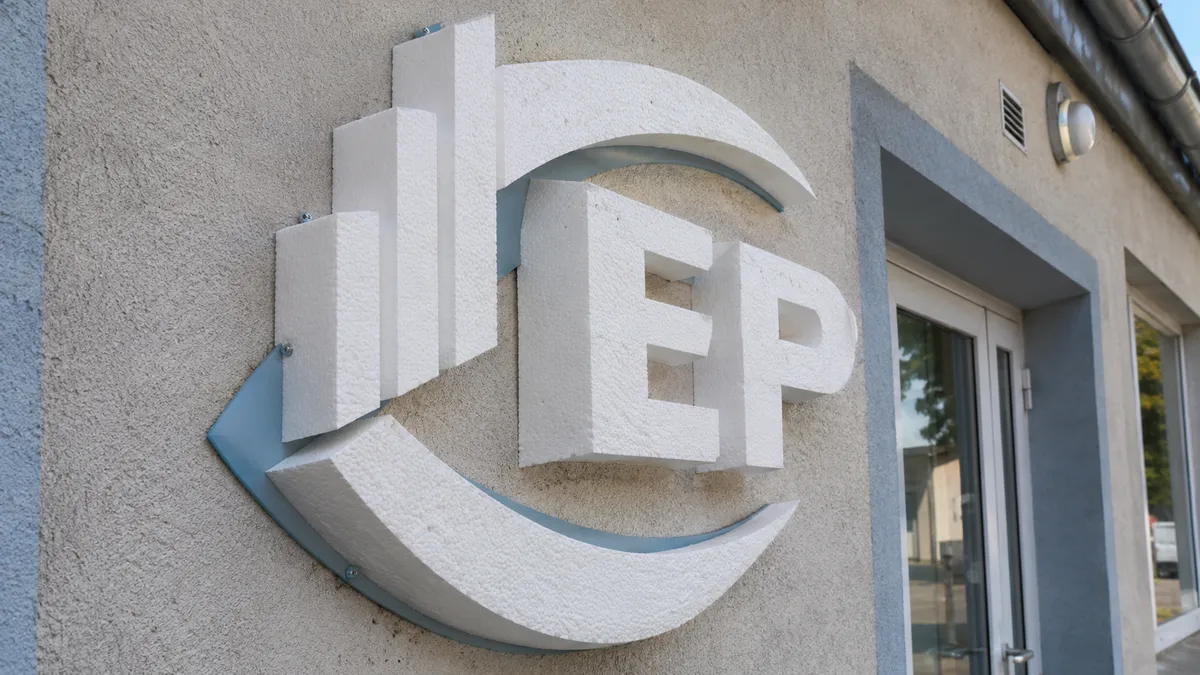
3D foam logo on a building facade by the entrance, illustrative visualisationIllustration

Why a font is not enough

If the file contains live text, another computer will substitute a different typeface. The result then looks different. Converting to outlines turns the letters into plain shapes that will not change.

How to do it in common programs

In Illustrator, select the text and choose Create Outlines. In Inkscape use Object to Path, in CorelDRAW Convert to Curves. Save the file as SVG, PDF or AI and check that the shapes are closed.

What to watch out for

Thin lines under 5 mm break easily when polystyrene is cut. Small text in a slogan may be better left out or enlarged. Let us know which parts of the logo are mandatory under your brand manual.
Before you ask

Answers to frequently asked questions

I do not have a vector logo. What now?

Send the best-quality image you have. We will redraw the outline and include this in the quote.

Is a PDF from our brand manual enough?

Often yes, if it contains vectors. We check this as soon as we open the file.

Do I have to simplify the logo for production?

Not always. We assess thin lines and small text and suggest what to thicken or leave out before production.

Send us the dimensions, we will handle the rest.

A sketch on paper, a logo or a drawing. From it we propose the material, the method and the price.

Send your brief